
promptifi.co → ai-prompts-for-sdr-prospecting Prospecting line · 25 units · 4 stages

25 AI Prompts for Sales Prospecting

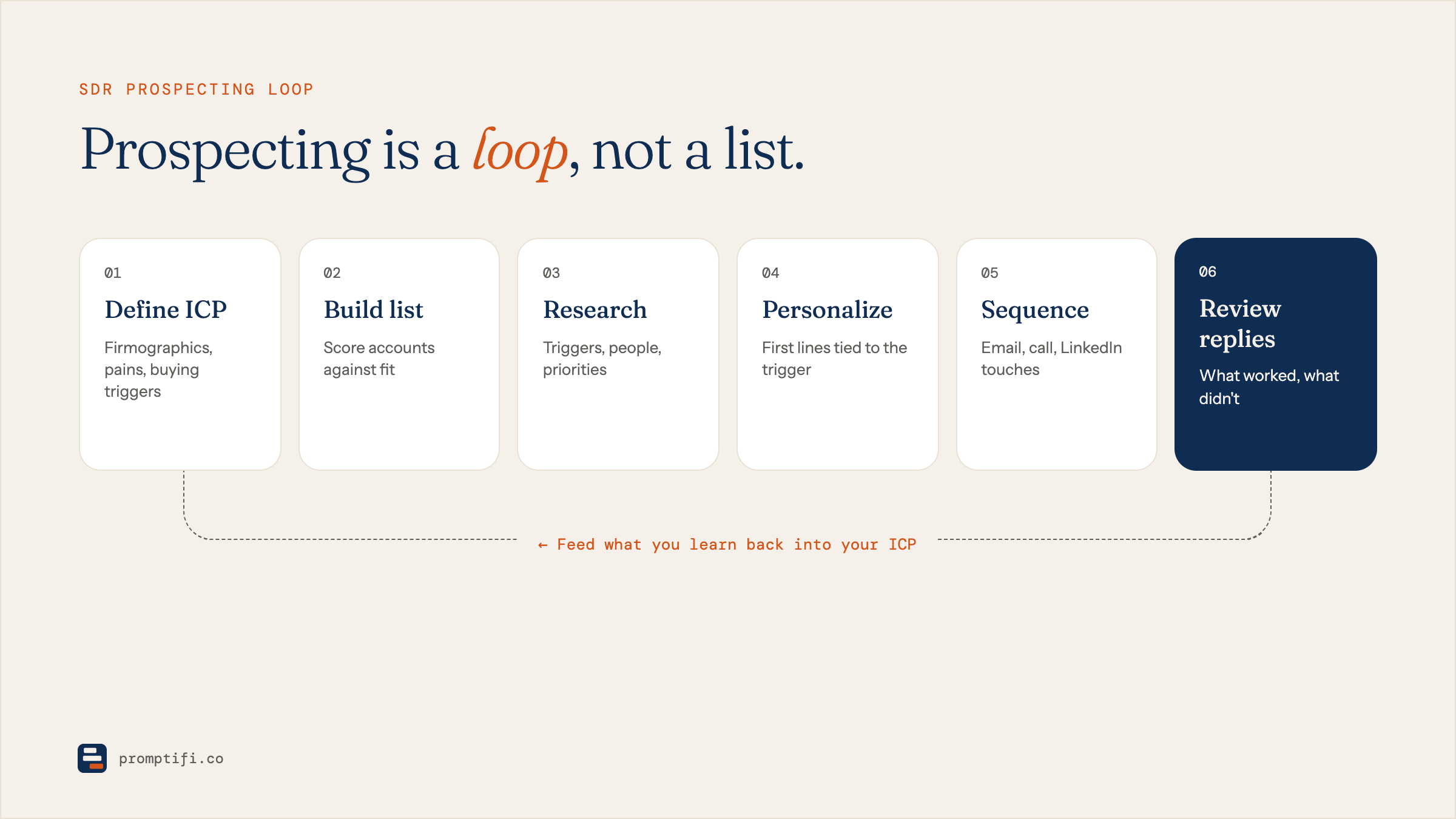
These 25 AI prompts for sales prospecting run as one production line, not a grab bag. Seven research prompts build the account brief, six forge it into an angle, seven stamp the angle into outreach, and five work everything after send. Each prompt's output is the next prompt's input. Copy them free — no signup — and run them in order with ChatGPT, Claude, or Gemini.

Last updated: August 2026

Stage 01 · 7 units · intake

Research — build the part

In → raw territory list · Out → ranked accounts with briefs, triggers, pain maps

Nothing gets written in this stage. Seven units turn a raw territory list into ranked accounts, each carrying a brief, a trigger log, a pain map, and a committee sketch. Stage 2 refuses to run without them.

  1. Unit 01 · Stage 1 — Research

    Account Snapshot Builder

    Use this when a fresh account enters the line — its output is the [ACCOUNT BRIEF] every unit downstream expects.

    • SDR
    • Research
    • Any model
    You are a B2B research analyst supporting an SDR. Build a one-page account snapshot for [PROSPECT COMPANY], a company in [INDUSTRY]. Sources you may use: [PASTE WEBSITE COPY, RECENT NEWS, 10-K EXCERPTS, JOB POSTINGS]. Produce exactly five sections with these headers: WHAT THEY SELL (two sentences, plain language), HOW THEY MAKE MONEY (revenue model in one sentence), WHAT CHANGED RECENTLY (three bullets, dated, facts only), WHO THEY SERVE (primary customer segments), OPEN QUESTIONS (three things a rep should verify on a first call). Constraints: no marketing adjectives; no speculation presented as fact — mark inferences with "(inferred)". Keep the whole snapshot under 220 words so it fits a CRM note. If the pasted sources are missing or thinner than 100 words, ask me for better inputs before writing anything. This snapshot is the traveler document every later prompt on this page expects as [ACCOUNT BRIEF].
    Feeds → Units 02–08View full prompt details →
  2. Unit 02 · Stage 1 — Research

    Ideal-Fit Scorecard

    Use this when Unit 01's brief is done and you need to decide whether the account earns a slot on the line at all.

    • SDR
    • Qualification
    Act as a pipeline quality gate. Score [PROSPECT COMPANY] against our ideal customer profile before any outreach effort is spent. Inputs: the [ACCOUNT BRIEF] from Unit 01 and our ICP definition: [IDEAL CUSTOMER PROFILE — SIZE, INDUSTRY, STACK, TRIGGER CRITERIA]. Score five dimensions from 0–2 each: industry match, company size, likely budget authority for [YOUR PRODUCT CATEGORY], visible pain evidence, and timing signals. Output a table: dimension, score, one-line evidence quoted or paraphrased from the brief — no evidence, no points. Then a verdict line: PURSUE (8–10), NURTURE (5–7), or PARK (0–4), plus the single biggest risk in one sentence. Constraints: be stingy — a 10 should be rare; never award a point on vibes; do not invent evidence the brief does not contain. If the ICP definition is missing, ask me for it instead of assuming one. The verdict line is what Unit 07 uses to build the work order.
    Feeds → Unit 07View full prompt details →
  3. Unit 03 · Stage 1 — Research

    Trigger Event Scanner

    Use this when the brief passes the scorecard — the trigger log it produces sets the timing for everything in Stage 2.

    • SDR
    • Signals
    You are a signals analyst. Scan the following raw material for buying triggers relevant to [YOUR PRODUCT]: [PASTE PRESS RELEASES, FUNDING NEWS, EXEC LINKEDIN POSTS, JOB LISTINGS]. Hunt for six trigger types only: new executive in [RELEVANT FUNCTION], funding or budget events, hiring surges in a relevant team, product or market launches, regulatory or compliance pressure in [INDUSTRY], and publicly stated initiatives. Output a TRIGGER LOG: one row per hit with the trigger type, the exact evidence (quoted and dated), why it matters to a seller of [YOUR PRODUCT] in one clause, and a freshness rating — HOT (under 30 days), WARM (30–90), COLD (older). Constraints: maximum six rows, ranked hottest first; discard anything you cannot date; no generic "they are growing" entries. If zero real triggers exist, output NO TRIGGERS FOUND — that is a useful answer, and Unit 07 knows what to do with it. Stage 2 builds the outreach angle from your top row.
    Feeds → Units 08–09View full prompt details →
  4. Unit 04 · Stage 1 — Research

    Persona Pain Mapper

    Use this when the brief and trigger log exist — its pain map is a required input for the angle forge in Unit 08.

    • SDR
    • Research
    Act as someone who has held the job of [PERSONA — TITLE AND FUNCTION] at a company like [PROSPECT COMPANY] for five years. Using the [ACCOUNT BRIEF] and [TRIGGER LOG] from Units 01 and 03, map what this person is most likely wrestling with this quarter. Output three sections: DAILY FRICTION (three specific operational annoyances, written in first person, the way the persona would actually gripe about them), CAREER STAKES (what this person is measured on and what failure looks like for them), and WHERE [YOUR PRODUCT CATEGORY] PLAUSIBLY HELPS (map each friction to a capability, and honestly mark any weak mapping as "stretch"). Constraints: ground every claim in the brief, the trigger log, or well-known realities of the role — and label which source carries it. No product pitching. No adjectives like "powerful". Keep the whole map under 200 words. This pain map is a required input to the angle work in Stage 2 and the stress test in Unit 10.
    Feeds → Units 08, 10View full prompt details →
  5. Unit 05 · Stage 1 — Research

    Vendor Stack Sniffer

    Use this when you suspect an incumbent vendor — its DISPLACEMENT flag is what routes an account to Unit 12.

    • SDR
    • Competitive
    You are a technographic researcher. Infer what [PROSPECT COMPANY] currently uses in the [YOUR PRODUCT CATEGORY] space from indirect evidence: [PASTE JOB POSTINGS, ENGINEERING BLOG EXCERPTS, CASE STUDIES THEY APPEAR IN, INTEGRATION PAGES]. Output three lists: CONFIRMED (named in the evidence — quote the line), PROBABLE (strong indirect signals — explain the inference in one clause), and UNKNOWN (what a rep must ask on a discovery call). For every CONFIRMED or PROBABLE vendor, add one clause on the switching pressure a buyer typically feels with that tool — cost, contract length, or capability gaps you can defend. Constraints: never present PROBABLE as fact — that distinction must survive into the outreach copy in Stage 3; no more than eight vendors total; skip dead products. If the evidence names a direct competitor of [YOUR PRODUCT], end with a final line beginning "DISPLACEMENT CANDIDATE:" — Unit 12 takes over from there.
    Feeds → Unit 12View full prompt details →
  6. Unit 06 · Stage 1 — Research

    Buying Committee Mapper

    Use this when the deal will need more than one yes — Unit 17 writes a variant for every row this map produces.

    • SDR
    • Multithreading
    Act as a deal strategist. From the [ACCOUNT BRIEF] and typical structures for a [COMPANY SIZE] company in [INDUSTRY], sketch the likely buying committee for [YOUR PRODUCT]. Output a table of four to six roles: title, what they care about in one clause, their likely objection in one clause, and their probable relationship to [PERSONA] — above, beside, or below. Then name the recommended ENTRY POINT (who to contact first and why, two sentences) and the BLOCKER RISK (who can quietly kill the deal, one sentence). Constraints: use role titles, never invented human names; mark each row "verified" only if the brief names that function, otherwise "assumed"; keep the whole map under 180 words. Unit 17 will write a first-touch variant for every row you produce here, so make each care-about specific enough to write an email from — "cares about efficiency" fails that test.
    Feeds → Unit 17View full prompt details →
  7. Unit 07 · Stage 1 — Research

    Territory Batch Prioritizer

    Use this when a batch of scorecards is done and the line needs a two-week work order before Stage 2 begins.

    • SDR
    • Planning
    You are running the intake queue for a prospecting line. I will paste 10–25 scored accounts, each with the verdict line and evidence from Unit 02: [PASTE SCORECARD OUTPUTS]. Rank the PURSUE accounts into a work order for the next two weeks. Output a numbered list; each entry carries the account name, a one-line reason it earned its slot (cite the strongest evidence), the trigger freshness from its log, and a recommended start day — spread starts across ten working days so no day opens more than three new accounts. After the list, add a PARKED note: which NURTURE accounts to re-scan in 30 days, and the single signal that would promote each one. Constraints: freshness beats fit when two accounts tie; never schedule an account whose trigger log came back NO TRIGGERS FOUND — route those back to Unit 03 next month instead. Plain text, no tables, under 250 words.
    Feeds → Stage 2 queueView full prompt details →

Stage 02 · 6 units · forge

Angle — melt it down

In → Stage 1 briefs · Out → one 25-word value hypothesis

Six units melt the research into one load-bearing sentence. No email exists yet — that is the point. By Unit 13 you hold a 25-word value hypothesis that every touch in Stage 3 opens from.

  1. Unit 08 · Stage 2 — Angle

    Angle Forge

    Use this when Stage 1's three artifacts are in hand and it is time to pick the angle the whole sequence will stand on.

    • SDR
    • Messaging
    You are a message strategist who hates generic outreach. Inputs: [ACCOUNT BRIEF], the top row of [TRIGGER LOG], and [PAIN MAP] from Stage 1. Forge three candidate outreach angles for approaching [PERSONA] at [PROSPECT COMPANY] about [YOUR PRODUCT]. Each angle gets: a name (three words maximum), the core assertion in one sentence, the evidence it stands on (cite which input), and the risk if the assertion is wrong. Then rank them and defend the winner in two sentences — judge on specificity to THIS account, not on cleverness. Constraints: any angle that would survive a find-and-replace of the company name is disqualified on the spot; no angle may open with flattery about the trigger event; write in plain declarative sentences. If any of the three inputs is missing, stop and tell me which unit to run first instead of improvising. The winning angle is the raw material for Units 09 through 13.
    Feeds → Units 09–13View full prompt details →
  2. Unit 09 · Stage 2 — Angle

    Trigger-to-Message Bridge

    Use this when the angle is chosen — it writes the sentence that connects the Unit 03 trigger to your reason for writing.

    • SDR
    • Messaging
    Act as an editor who has read ten thousand "congrats on the funding" emails and deleted every one. Take this trigger: [TRIGGER EVENT AND DATE] and the winning angle from Unit 08: [WINNING ANGLE]. Write the bridge — the one-to-two-sentence move that connects the trigger to the reason for outreach without congratulation, flattery, or an "I saw that…" opener. Produce four different bridges, each labeled by mechanism: CONSEQUENCE (what the trigger now forces the company to handle), TIMING (why the next 90 days matter more than the last 90), PEER (what similar companies did at this exact moment — only if [CUSTOMER PROOF] supports it), and COST (what the trigger just made more expensive to ignore). Constraints: 35 words maximum per bridge; no exclamation marks; the prospect's company name may appear once at most; each bridge must work verbatim as the second sentence of an email. Mark the one you would send and say why in one clause.
    Feeds → Unit 14View full prompt details →
  3. Unit 10 · Stage 2 — Angle

    Pain Hypothesis Stress Test

    Use this when the pain hypothesis feels right — attack it here, before a prospect does it for you in public.

    • SDR
    • Strategy
    Be my toughest deal reviewer. Here is the pain hypothesis Stage 1 produced for [PROSPECT COMPANY]: [PAIN HYPOTHESIS FROM UNIT 04]. Attack it before a prospect does. Output three sections: WHY THIS MIGHT BE WRONG (the three most plausible failure modes — wrong owner, already solved, real but not a priority), WHAT WOULD PROVE IT (the observable facts, quotes, or metrics that would confirm it — things an SDR could actually find or ask for), and THE SHARPER VERSION (rewrite the hypothesis as one sentence that survives your own attack, naming who feels the pain, when they feel it, and what it costs them). Constraints: no hedging language in the sharper version — commit to a claim; if the hypothesis cannot survive, output KILL IT and route me back to Unit 04 with the reason. Keep the whole review under 180 words. Units 13 and 14 inherit whatever sentence you write here, so make it load-bearing.
    Feeds → Units 11, 13View full prompt details →
  4. Unit 11 · Stage 2 — Angle

    Proof Point Matcher

    Use this when the hypothesis survives Unit 10 and needs the one piece of evidence an email can actually carry.

    • SDR
    • Proof
    You are matching evidence to a claim. Here is our proof library: [PASTE 3–8 CUSTOMER PROOF POINTS — WHO, WHAT CHANGED, MEASURED RESULT]. Here is the sharpened pain hypothesis for [PROSPECT COMPANY]: [SHARPENED HYPOTHESIS FROM UNIT 10]. Select the ONE proof point that best matches on three axes: similar company profile, same pain mechanism, and a result this prospect would actually envy. Output: the chosen proof rewritten as a single sentence of 30 words or fewer that an email can carry, a one-clause note on why it beats the runners-up, and a MISMATCH WARNING if even the best available proof is a poor fit — with a suggested fallback (industry logic instead of customer proof). Constraints: never merge two proof points into one claim; never round a number up; if the library is empty or the pasted proofs lack a measured result, say so plainly and draft the email logic without proof rather than inventing any.
    Feeds → Units 13–14View full prompt details →
  5. Unit 12 · Stage 2 — Angle

    Displacement Angle Builder

    Use this when Unit 05 flagged a DISPLACEMENT CANDIDATE — it builds the wedge without trashing the incumbent.

    • SDR
    • Competitive
    Act as a switch-cost realist. Unit 05 flagged that [PROSPECT COMPANY] likely runs [COMPETITOR PRODUCT]. Build a displacement approach for [YOUR PRODUCT] that respects why they chose the incumbent. Output four parts: WHY THEY BOUGHT IT (steelman the original decision in two sentences), WHERE IT PINCHES NOW (two or three pressure points typical for [COMPETITOR PRODUCT] at this company's size and stage — mark each "commonly reported" or "inferred"), THE WEDGE (the one workflow where trying [YOUR PRODUCT] alongside the incumbent is cheap and low-risk), and THE SENTENCE (a line of 25 words or fewer for outreach that names the wedge without attacking the competitor). Constraints: no feature-table dumping; no "unlike [COMPETITOR PRODUCT]" phrasing; no claims about their contract you cannot know. If Unit 05 marked the competitor as PROBABLE rather than CONFIRMED, the sentence must still work even if the guess turns out wrong.
    Feeds → Unit 14View full prompt details →
  6. Unit 13 · Stage 2 — Angle

    Value Hypothesis Compressor

    Use this when Stage 2 is done arguing — it compresses everything into the 25-word line all of Stage 3 opens from.

    • SDR
    • Messaging
    You are the last gate before any writing begins. Compress everything Stage 2 produced into one value hypothesis of 25 words or fewer, in this exact shape: "For [PERSONA] at [PROSPECT COMPANY], [YOUR PRODUCT] likely [SPECIFIC CHANGE] because [EVIDENCE ANCHOR]." Inputs: the winning angle (Unit 08), the sharpened pain sentence (Unit 10), and the chosen proof (Unit 11). Produce three candidate compressions, then pick one winner. Judge with a cold test: read each aloud as if you were the prospect — does it earn the next sentence, or does it earn the archive button? Output the winner on its own line labeled VALUE HYPOTHESIS, then the two rejects with a one-clause cause of death each. Constraints: no adjectives; no category jargon; no claim the evidence anchor cannot carry; the hypothesis must be falsifiable on a first call. Every touch drafted in Stage 3 opens from this line, so refuse to output a winner you would not personally send.
    Feeds → all of Stage 3View full prompt details →

Stage 03 · 7 units · press

Outreach — stamp the touches

In → value hypothesis · Out → an 8-touch, 12-day sequence

Seven units stamp the hypothesis into touches: email, phone, LinkedIn, video, and the cadence that runs them all. If the first touch is your whole motion, the cold email prompts line runs 25 more units on that single discipline.

  1. Unit 14 · Stage 3 — Outreach

    First-Touch Cold Email

    Use this when the value hypothesis is locked — it drafts touch one, the email the rest of the cadence leans on.

    • SDR
    • Email
    Write the first cold email of the sequence. Inputs: the VALUE HYPOTHESIS (Unit 13), the chosen bridge (Unit 09), and the proof sentence (Unit 11). Recipient: [PERSONA] at [PROSPECT COMPANY]. Structure, in this order: a subject line of four words or fewer drawn from the hypothesis, no bait; an opening line that IS the bridge, not a greeting about their week; two sentences connecting the hypothesis to their situation; the proof sentence; one interest-based ask (permission to share more, not a demand for 15 minutes of their calendar). Constraints: 90 words maximum for the body; write at an 8th-grade reading level; zero adjectives; never use "I hope", "quick question", or "touching base"; mention [YOUR PRODUCT] by name once at most. Output the email, then one line naming which bracketed input most needs a human check before send. This unit only builds touch one — the bumps that follow silence belong to Unit 21.
    Feeds → Units 17, 18, 21View full prompt details →
  2. Unit 15 · Stage 3 — Outreach

    Call Opener and Voicemail Pair

    Use this when touch one ships — the opener and voicemail run the same hypothesis through the phone channel.

    • SDR
    • Phone
    You are a phone-first SDR coach. From the VALUE HYPOTHESIS (Unit 13), script two artifacts for calling [PERSONA] at [PROSPECT COMPANY]. First, a COLD CALL OPENER covering the first 20 seconds: a pattern-break greeting, a permission line, the hypothesis in spoken form (contractions, plain words, no written-English clauses), and a question that hands the prospect the floor. Write it the way it would be said, not the way it would be typed. Second, a VOICEMAIL: 15 seconds maximum when read aloud at a natural pace — about 40 words — stating your name, company, one reason tied to the trigger from Unit 03, and a callback placeholder [YOUR PHONE]. No "sorry I missed you." Constraints: neither script may depend on the prospect having read the email; the opener must survive being interrupted at second eight, so front-load the reason for calling. Output both, then one line of delivery coaching for each: where to slow down, where to stop talking.
    Feeds → Unit 20View full prompt details →
  3. Unit 16 · Stage 3 — Outreach

    LinkedIn Connect and Follow-Up

    Use this when you want a third channel live — both notes stand alone if the Unit 14 email was never seen.

    • SDR
    • LinkedIn
    Write the LinkedIn track for [PERSONA] at [PROSPECT COMPANY]. Two artifacts. CONNECTION NOTE: 240 characters maximum (hard platform limit), referencing the trigger from Unit 03 or a role reality from the pain map — never "I'd love to add you to my network," never a pitch. FOLLOW-UP MESSAGE, sent two days after acceptance: 60 words maximum, restating the value hypothesis (Unit 13) conversationally, closing with something useful offered before anything is asked — [RELEVANT RESOURCE]. Constraints: no compliments about being a "thought leader"; write like a colleague, not a fan; the follow-up must stand alone if they never saw the email from Unit 14; no emoji anywhere. Output both artifacts labeled, each with its character or word count in parentheses after it, then one sentence on what to do if they accept the connection but never reply — name which Stage 4 unit takes over and on what day.
    Feeds → Unit 20View full prompt details →
  4. Unit 17 · Stage 3 — Outreach

    Committee Multithread Variants

    Use this when Unit 06 mapped more than one stakeholder — it adapts touch one for every seat at the table.

    • SDR
    • Multithreading
    Act as a multithreading specialist. Take the first-touch email from Unit 14 and the committee map from Unit 06: [PASTE BOTH]. Produce one adapted variant for each committee role beyond [PERSONA] — typically two to four emails. Keep the same trigger bridge and the same proof in every variant, but rewrite the hypothesis clause around what THAT role is measured on: budget owners hear cost and risk, technical evaluators hear workflow and integration burden, end-user managers hear their team's time. Output each variant with a role label, a subject line, a body of 85 words maximum, and a one-clause timing note — who gets contacted first and who waits for a reply, per the entry-point call in Unit 06. Constraints: variants must not read as a mail merge of each other — change the reasoning, not just the nouns; never write "I also reached out to your colleague" in a first touch. Flag any role where the committee map lacks enough detail to write honestly.
    Feeds → Unit 20View full prompt details →
  5. Unit 18 · Stage 3 — Outreach

    First-Line Pattern Interrupt

    Use this when the Unit 14 draft is solid but its first line still reads like everyone else's — five rewrites, one survivor.

    • SDR
    • Email
    You are an attention editor. Here is the drafted first-touch email: [PASTE EMAIL FROM UNIT 14]. Its first line decides whether the rest of it exists. Rewrite the opening line five ways, each using a different mechanism: NUMBER (a specific figure from the account brief or trigger log), QUESTION (one the persona actually argues about internally, drawn from the pain map), CONTRAST (what changed at [PROSPECT COMPANY] versus what has not), ADMISSION (an honest note about why this email might be mistimed), and PEER MOVE (what a similar company did — only if the Unit 11 proof supports it). Constraints: 18 words maximum per line; each must connect to the email's existing second sentence without editing that sentence; no questions a prospect can close with a flat "no"; no fake familiarity. Output the five lines labeled by mechanism, rank them for a [PERSONA] inbox on a Monday morning, and kill any line that smells like a template — including yours.
    Feeds → Unit 14 redraftView full prompt details →
  6. Unit 19 · Stage 3 — Outreach

    45-Second Video Talk Track

    Use this when email one has gone quiet and the cadence calls for a face — 45 scripted seconds, timestamped.

    • SDR
    • Video
    Script a 45-second selfie-video talk track for [PERSONA] at [PROSPECT COMPANY], to embed in touch three of the sequence. Inputs: the VALUE HYPOTHESIS (Unit 13) and one visual I can put on screen: [WHAT YOU WILL SHOW — THEIR WEBSITE, A DASHBOARD, A SKETCH]. Structure with timestamps: 0:00–0:05 say the prospect's name and name the visible thing on screen (proof this is not a blast); 0:05–0:20 the hypothesis in spoken language; 0:20–0:35 one concrete example of what [YOUR PRODUCT] changes, tied to the visual; 0:35–0:45 a soft ask with an easy out. Constraints: 110 words maximum total — that is 45 seconds at a natural pace; write for the ear, short clauses, contractions, no subordinate-clause pileups; no "hey, I know you're busy" opener. Output the script with timestamps, then one line on what the thumbnail frame should show so the play button earns the click.
    Feeds → Unit 20View full prompt details →
  7. Unit 20 · Stage 3 — Outreach

    Sequence Assembler

    Use this when the Stage 3 artifacts are built and need marching orders — one cadence table runs them all.

    • SDR
    • Cadence
    You are the line supervisor. Assemble Units 14 through 19 into a single outreach run for [PROSPECT COMPANY]. Input: the artifacts I actually built — [LIST YOUR COMPLETED ARTIFACTS]. Output a plain-text cadence over 12 working days and a maximum of eight touches: day number, channel (email, call, voicemail, LinkedIn, video), which unit's artifact runs, and a one-clause purpose for the touch. Rules to enforce: never two emails on consecutive days; the call from Unit 15 lands within one day of email touch one; the video from Unit 19 runs only after at least one email has gone unanswered; the LinkedIn follow-up from Unit 16 waits for the connection to be accepted; day 12 ends with the honest closer handled by Stage 4 — not a pitch. Constraints: if I list fewer artifacts than the plan needs, compress to a six-touch run rather than inventing artifacts I never built. End with one line: the single metric to watch this cycle.
    Feeds → Stage 4View full prompt details →

Stage 04 · 5 units · finishing

Follow-up — work the silence

In → replies and silence · Out → a booked meeting with a brief

Five units handle everything after send: silence, objections, redirects, and the yes. Unit 25 closes the loop by handing the account to the discovery call prompts line with a pre-call brief in its pocket.

  1. Unit 21 · Stage 4 — Follow-up

    Value-Add Bump Series

    Use this when touch one meets silence — three bumps that each add something new instead of asking again.

    • SDR
    • Follow-up
    Write the three follow-up bumps for a sequence where [PERSONA] at [PROSPECT COMPANY] has not replied to the first-touch email: [PASTE EMAIL FROM UNIT 14]. Each bump must ADD something new — never ask "did you see my last email." BUMP 1 (day 3): 40 words maximum, running a second angle from the Unit 08 shortlist — reframe, do not repeat. BUMP 2 (day 7): 55 words maximum, sharing one genuinely useful artifact — [RELEVANT RESOURCE OR INSIGHT] — with no meeting ask at all. BUMP 3 (day 11): 45 words maximum, the honest closer: state plainly that you will stop reaching out, leave one door open, no guilt. Constraints: each bump must make sense to someone who never read the earlier emails; no "floating this to the top of your inbox"; no manufactured time pressure of any kind. Output all three labeled with their day numbers, written as replies in the same thread — no new subject lines.
    Feeds → Unit 22 on replyView full prompt details →
  2. Unit 22 · Stage 4 — Follow-up

    Reply Objection Handler

    Use this when a reply lands and you have one shot at answering it well — classify first, then draft.

    • SDR
    • Objections
    A reply landed. Act as my objection coach. [PERSONA] at [PROSPECT COMPANY] wrote: [PASTE THEIR REPLY]. First classify it as one of four types: SOFT NO (timing, busy), HARD NO (no need, happy with [COMPETITOR PRODUCT]), REDIRECT (wrong person), or HIDDEN QUESTION (skeptical but engaged). Then draft the response for its type. SOFT NO gets a specific future hook tied to the trigger from Unit 03 plus permission to return in a named month. HARD NO gets a graceful exit that leaves one door open — a single sentence on what usually changes minds in [INDUSTRY]. REDIRECT routes to Unit 23. HIDDEN QUESTION gets the shortest honest answer plus a low-stakes next step. Constraints: reply body 70 words maximum; mirror one phrase from their reply so it reads written, not templated; never argue with their stated reason; never offer a discount. Output the classification, the draft, and one sentence on what to log in the CRM for Unit 24's future scan.
    Feeds → Unit 23 or 25View full prompt details →
  3. Unit 23 · Stage 4 — Follow-up

    Referral Redirect

    Use this when the reply is "not me" — it converts a dead end into a warm first touch on the right desk.

    • SDR
    • Referral
    The prospect replied with some version of "not me — talk to [REFERRED TITLE OR NAME]." Turn the redirect into two artifacts. First, the THANK-AND-CONFIRM reply to the original contact: 35 words maximum, gratitude without groveling, plus one closing question that confirms the referred person's remit so the handoff lands warm. Second, the NEW FIRST TOUCH to the referred person: open with the referral in the first sentence ("[ORIGINAL CONTACT] suggested you're the right person for this"), then a compressed version of the Unit 13 value hypothesis rebuilt for the new title's concerns — re-run the Unit 04 pain lens in your head for [NEW PERSONA] before writing a word. Constraints: new touch 75 words maximum; do not recycle the original email's phrasing — a forwarded thread will expose it instantly; put no pressure on the referrer's goodwill ("they said you would definitely want this" is banned). Output both, labeled, with a subject line on the second only.
    Feeds → Unit 25View full prompt details →
  4. Unit 24 · Stage 4 — Follow-up

    60-Day Revival

    Use this when an account has been dark for 60 days — it re-runs the Unit 03 scan before a word gets written.

    • SDR
    • Revival
    Act as a re-engagement strategist. This account went quiet after a full sequence: [PROSPECT COMPANY], last touch on [DATE], summary of what was sent: [SEQUENCE SUMMARY]. Sixty days have passed. First, tell me what to check before anything gets written: re-run the Unit 03 trigger scan on fresh sources, and confirm [PERSONA] still holds the role. Then, assuming I paste the result — [NEW TRIGGER LOG] — write the revival email. Open with what is NEW since we last spoke: never an apology for the gap, never a recap of ignored emails. Connect the fresh trigger to the original value hypothesis in one sentence, and state plainly what has changed on our side, if anything: [WHAT CHANGED — NEW CAPABILITY, NEW PROOF, NOTHING]. Constraints: 80 words maximum; it must read as a new conversation, not a resumed campaign; if the new trigger log says NO TRIGGERS FOUND, output PARK 30 MORE DAYS instead of an email. Subject line names the new trigger — never "reconnecting."
    Feeds → Unit 21 loopView full prompt details →
  5. Unit 25 · Stage 4 — Follow-up

    Meeting Confirm and Pre-Call Brief

    Use this when the line produces a yes — it books the meeting and writes the brief the discovery call will run on.

    • SDR
    • Handoff
    The line produced a yes. Build the two artifacts that close the loop. First, the CONFIRMATION EMAIL to [PERSONA] at [PROSPECT COMPANY]: 50 words maximum, confirming [MEETING DATE AND TIME], restating in one sentence what the meeting will cover — pulled from the Unit 13 value hypothesis, not a generic agenda — and asking one question whose answer makes the meeting better ("anything you want covered so this is worth 30 minutes?"). Second, the PRE-CALL BRIEF for the rep taking the call, as five labeled lines: the hypothesis (Unit 13), the trigger that opened the door (Unit 03), the pain evidence (Unit 04), the proof used (Unit 11), and the one thing still unverified that discovery must confirm (from Unit 01's open questions). Constraints: the brief is 120 words maximum and scannable in an elevator — fragments allowed; the confirmation email may not introduce any claim the sequence never made. Output both, labeled. The next line takes over from here: discovery.
    Feeds → discoveryView full prompt details →

Operating manual · read before first run

How to run these AI prompts for sales prospecting

The line rewards discipline. These five habits are specific to this page — they are how the sequencing actually pays off.

  1. Run one account down the whole line first.

    Before batching anything, take a single PURSUE account from Unit 07 all the way through Unit 25. You will find where your inputs are thin — usually the proof library Unit 11 asks for — before that weakness multiplies across fifty accounts.

  2. Batch Stage 1, then stop batching.

    The research prompts run fine across ten accounts in one sitting. Angles and emails do not. Write Stages 2 and 3 one account at a time, or the outputs converge into the same template this line exists to prevent.

  3. Paste outputs forward literally.

    When Unit 08 asks for [ACCOUNT BRIEF], it means the exact text Unit 01 produced. Keep one scratch doc per account — the traveler — and append each unit's output as the part moves down the line.

  4. Refuse to skip Unit 10.

    The stress test is the station most reps skip and the reason most sequences read as spam. If your hypothesis dies there, that is the line working — you just saved a burned account.

  5. Re-run Unit 03 on a schedule.

    Triggers rot. A HOT trigger writes a different email than a COLD one, and the scanner is cheap to run monthly across every parked account from Unit 07.

Floor questions

AI prompts for sales prospecting — questions from the floor

What are AI prompts for sales prospecting?

They are structured instructions you paste into an AI model — ChatGPT, Claude, or Gemini — that turn it into a specific prospecting tool: an account researcher, a trigger scanner, a first-touch drafter, or an objection coach. The 25 prompts on this page are sequenced so each one's output becomes the next one's input, covering research, angle, outreach, and follow-up.

Do I have to run these prompts in order?

No — each prompt works standalone if you fill its bracketed inputs by hand. But they are built as a line: the research prompts produce the account brief, trigger log, and pain map that the angle and outreach prompts expect as inputs. Running them in order is the difference between a working system and a stack of one-off tricks.

Which AI model works best for these prospecting prompts?

Any current model handles them — they are written model-agnostic, with explicit output formats and constraints doing the quality control. The longer research prompts benefit from a model with a large context window so you can paste full sources. If your team standardizes on one tool, the same sequencing discipline applies there too.

Are these sales prospecting prompts really free?

Yes. All 25 are complete on this page — full text, no signup, no gating — and you can copy them straight into your model. They are a working sample of the Promptifi library, which holds 2,900+ prompts across the rest of the sales job. Pro access is $4.99/mo, $48/yr, or $99.00 lifetime, capped at 500 seats.

How do I fill in the bracketed variables like [PROSPECT COMPANY]?

Replace each ALL-CAPS bracket with your real data before running the prompt — a company name, a persona title, pasted sources, or a previous prompt's output. Brackets like [ACCOUNT BRIEF] and [TRIGGER LOG] refer to outputs from earlier units on this page; paste those in verbatim. If an input is missing, most of these prompts instruct the model to ask you for it rather than guess.

Shift change

End of the line. Start of the pipeline.

You just walked 25 stations. The full Promptifi library holds 2,900+ prompts across every sales motion — discovery, demos, negotiation, expansion — built by the Promptifi team and organized so the right prompt is findable mid-call. $99.00 lifetime, capped at 500 seats. Or $4.99/mo.